
[Klyxoo.com] is a participant in the Amazon Services LLC Associates Program, an affiliate advertising program designed to provide a means for sites to earn advertising fees by advertising and linking to Amazon.uk
Projectors have evolved from being exclusive business presentation tools to becoming a popular choice for home entertainment, gaming, education, and professional use. Whether you’re building a home theater, creating an immersive gaming setup, or delivering presentations in a conference room, choosing the right projector can significantly impact your viewing experience.
With dozens of specifications, technologies, and features available, selecting the best projector can feel overwhelming. Brightness ratings, resolution options, throw distances, connectivity features, and display technologies all play a crucial role in determining performance.
This comprehensive projector buying guide will help you understand what matters most before making a purchase. By the end of this guide, you’ll know exactly which features suit your needs and how to avoid common buying mistakes.
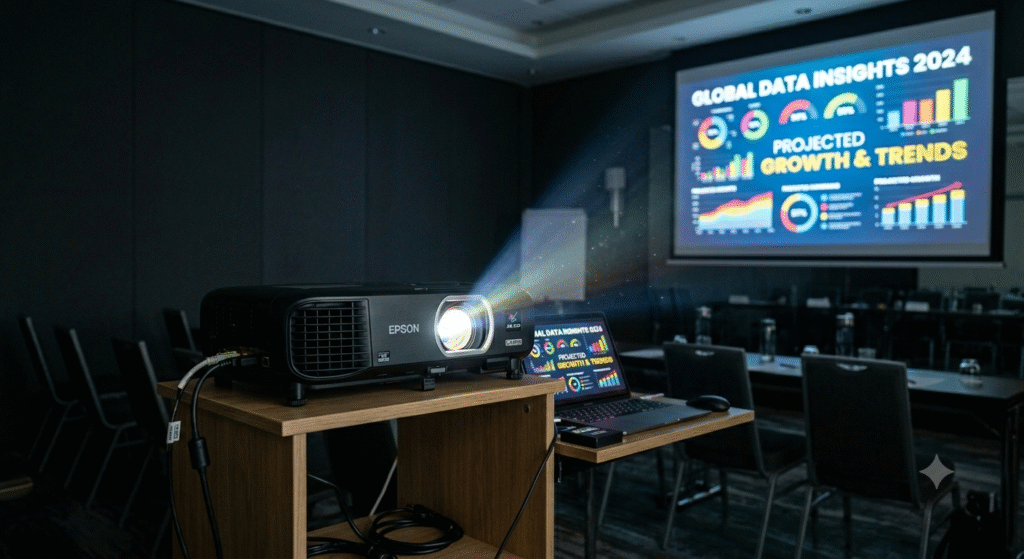
Why Choose a Projector?
Many buyers compare projectors with televisions and wonder which option offers better value. While televisions provide convenience, projectors offer unique advantages:
Key Benefits of a Projector
- Larger screen sizes without occupying wall space permanently
- More immersive movie and gaming experiences
- Better portability for presentations and events
- Cost-effective large-screen viewing
- Flexible installation options
For users seeking a cinematic experience at home, projectors often deliver significantly larger images than traditional displays.
What to Consider Before Buying a Projector
Understanding the following factors will help you choose the right projector for your needs.
1. Resolution
Resolution determines image sharpness and detail.
HD (720p)
Suitable for:
- Casual viewing
- Educational purposes
- Basic presentations
Pros:
- Affordable
- Lower hardware requirements
Cons:
- Less detailed image quality
Full HD (1080p)
Suitable for:
- Movies
- Streaming
- Gaming
Pros:
- Sharp image quality
- Excellent value
Cons:
- Not as detailed as higher resolutions
4K Resolution
Suitable for:
- Home theaters
- Professional media consumption
- High-end gaming
Pros:
- Exceptional detail
- Superior image clarity
Cons:
- Higher cost
Resolution Comparison Table
| Resolution | Best For | Image Quality |
|---|---|---|
| 720p | Basic use | Good |
| 1080p | Home entertainment | Very Good |
| 4K | Premium viewing | Excellent |
2. Brightness
Brightness is measured in lumens and affects visibility in different lighting conditions.
Recommended Brightness Levels
| Room Type | Recommended Lumens |
| Dark Home Theater | 1,500–2,500 |
| Living Room | 2,500–3,500 |
| Classroom | 3,000–4,500 |
| Conference Room | 4,000+ |
Expert Insight
A common mistake buyers make is focusing solely on resolution while ignoring brightness. Even a high-resolution projector can appear dull if brightness levels are insufficient for the environment.
3. Throw Distance
Throw distance refers to how far the projector must be placed from the screen.
Standard Throw
Best for:
- Dedicated media rooms
- Large spaces
Short Throw
Best for:
- Bedrooms
- Apartments
- Small offices
Ultra Short Throw
Best for:
- Limited spaces
- Wall-mounted entertainment setups
Benefits include:
- Reduced shadows
- Easier installation
- Minimal cable management
4. Display Technology
Projectors typically use one of three display technologies.
LCD Technology
Advantages:
- Bright images
- Accurate colors
- Energy efficiency
Disadvantages:
- Lower contrast in some models
DLP Technology
Advantages:
- Smooth motion handling
- Strong contrast
- Compact design
Disadvantages:
- Potential rainbow effect for sensitive viewers
Laser Projection
Advantages:
- Long lifespan
- Fast startup
- Consistent brightness
Disadvantages:
- Higher upfront investment
5. Contrast Ratio
Contrast ratio affects how well the projector displays dark and bright areas simultaneously.
Higher contrast generally provides:
- Better black levels
- Improved shadow detail
- More cinematic visuals
For movie enthusiasts, contrast is nearly as important as resolution.
6. Screen Size Compatibility
Most projectors can display images ranging from 60 to over 300 inches.
Choosing the Right Screen Size
Consider:
- Viewing distance
- Room dimensions
- Intended use
Recommended screen sizes:
| Viewing Distance | Screen Size |
| 6–8 Feet | 80–100 Inches |
| 8–10 Feet | 100–120 Inches |
| 10–12 Feet | 120–150 Inches |
7. Connectivity Options
Modern projectors should support multiple connection methods.
Essential Ports
- HDMI
- USB
- Audio Output
- Ethernet
Wireless Features
Useful options include:
- Wi-Fi connectivity
- Bluetooth audio support
- Wireless screen mirroring
Wireless functionality improves convenience and reduces cable clutter.
8. Audio Performance
Many projectors include built-in speakers.
However, for the best experience:
- Home theaters benefit from external speakers
- Gaming setups perform better with dedicated sound systems
- Presentations may only require built-in audio
9. Gaming Features
Gamers should pay special attention to performance specifications.
Important Gaming Features
Low Input Lag
Reduces delay between controller actions and on-screen response.
High Refresh Rate
Provides smoother gameplay.
Fast Response Time
Improves overall gaming performance.
For competitive gaming, responsiveness is often more important than raw brightness.
10. Lamp Life and Maintenance
Projector light sources vary significantly.
Traditional Lamps
Pros:
- Lower initial cost
Cons:
- Periodic replacement required
LED Systems
Pros:
- Longer lifespan
- Lower maintenance
Cons:
- Lower brightness in some models
Laser Systems
Pros:
- Exceptional longevity
- Minimal maintenance
Cons:
- Higher purchase cost
Projector Types Explained
Different projector categories serve different audiences.
Home Theater Projectors
Designed for:
- Movies
- Streaming
- Sports
Key priorities:
- High contrast
- Excellent color accuracy
- Quiet operation
Gaming Projectors
Designed for:
- Console gaming
- PC gaming
Key priorities:
- Low input lag
- High refresh rates
- Fast response times
Business Projectors
Designed for:
- Meetings
- Conferences
- Training sessions
Key priorities:
- High brightness
- Portability
- Easy connectivity
Portable Projectors
Designed for:
- Travel
- Outdoor entertainment
- Temporary setups
Key priorities:
- Compact size
- Battery operation
- Wireless functionality
Projector Feature Comparison
| Feature | Home Theater | Gaming | Business | Portable |
| Resolution | High | High | Medium | Medium |
| Brightness | Medium | Medium | High | Medium |
| Portability | Low | Medium | Medium | High |
| Input Lag | Medium | Very Low | Low Priority | Medium |
| Battery Support | No | No | Rare | Common |
Pros and Cons of Owning a Projector
Pros
Massive Screen Experience
Projectors can create images far larger than most televisions.
Space Saving
No need for a giant permanent display.
Immersive Viewing
Ideal for movies, gaming, and sports.
Flexible Setup
Can be moved between rooms or locations.
Cons
Ambient Light Sensitivity
Bright rooms may reduce image quality.
Maintenance Requirements
Some systems require lamp replacements.
Audio Limitations
Built-in speakers may not satisfy all users.
Installation Planning
Placement and screen alignment require attention.
Common Mistakes to Avoid
Many first-time buyers overlook important details.
Buying Based Only on Resolution
Brightness and contrast are equally important.
Ignoring Throw Distance
The projector may not fit your room properly.
Overlooking Connectivity
Ensure compatibility with your devices.
Neglecting Audio Requirements
Plan for external speakers if necessary.
Choosing the Cheapest Option
Low-cost models often compromise image quality and longevity.
Who Is a Projector Best For?
Movie Lovers
Ideal for:
- Home theater enthusiasts
- Streaming fans
- Sports viewers
Recommended Features
- High contrast
- Full HD or 4K resolution
- Quiet operation
Gamers
Ideal for:
- Console players
- PC gamers
Recommended Features
- Low input lag
- High refresh rates
- Bright image output
Professionals
Ideal for:
- Business presentations
- Educational environments
Recommended Features
- High brightness
- Strong connectivity
- Portability
Outdoor Entertainment Enthusiasts
Ideal for:
- Backyard movie nights
- Camping trips
- Social events
Recommended Features
- Portable design
- Battery support
- Wireless streaming
Frequently Asked Questions
Is a projector better than a TV?
It depends on your needs. Projectors excel at creating large-screen experiences, while televisions generally offer greater brightness and convenience.
How many lumens do I need for a projector?
Dark rooms typically require 1,500–2,500 lumens, while brighter environments may need 3,000 lumens or more.
Can I use a projector during the day?
Yes, but higher brightness levels and proper room light control improve image visibility.
Are projectors good for gaming?
Absolutely. Models with low input lag and high refresh rates can deliver an excellent gaming experience.
Do projectors require a screen?
While a dedicated screen improves image quality, a smooth white wall can also work effectively.
How long does a projector last?
Lifespan depends on the light source. Traditional lamps may last several thousand hours, while LED and laser systems often last much longer.
Final Recommendation
Choosing the right projector starts with identifying your primary use case. Movie enthusiasts should prioritize contrast and image quality. Gamers should focus on input lag and refresh rates. Business users benefit most from high brightness and versatile connectivity, while travelers and outdoor users should look for portability and battery-powered operation.
The best projector is not necessarily the most expensive one—it is the model that matches your room size, viewing habits, and performance expectations. By carefully evaluating resolution, brightness, throw distance, display technology, and connectivity options, you can confidently invest in a projector that delivers years of enjoyable viewing experiences.
Whether you’re creating a home theater, upgrading your gaming setup, or enhancing your professional presentations, following this projector buying guide will help you make a smarter purchasing decision and maximize your investment.
[Klyxoo.com] is a participant in the Amazon Services LLC Associates Program, an affiliate advertising program designed to provide a means for sites to earn advertising fees by advertising and linking to Amazon.uk