
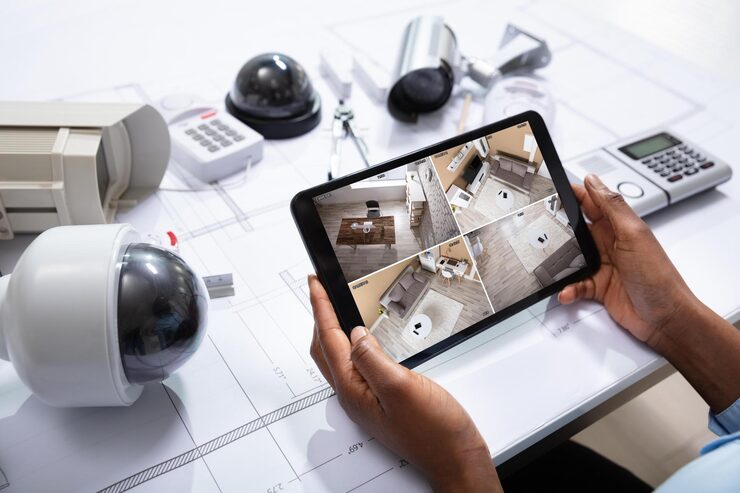
In today’s world, security has become more than just a priority—it’s a necessity. Whether you want to protect your home, monitor your business, or simply have peace of mind when you’re away, a security camera system offers an effective way to keep watch over your property.
Modern security systems have evolved beyond simple video recording. They now feature advanced options such as motion detection, night vision, two-way audio, remote app access, and cloud storage, giving homeowners and business owners more control and flexibility than ever before.
With so many choices on the market, choosing the right system can feel overwhelming. This buying guide will walk you through everything you need to know before investing in a security camera system, including key features, pros and cons, comparisons, and real-world use cases.
Devices | Features | Price |
|---|---|---|
Security Camera System | Color Night Vision |
What to Consider Before Buying a Security Camera System
1. Type of Security Camera System
- Wired Systems
- Require physical installation with cables.
- Offer reliable connection and higher image quality.
- Best for large properties or permanent setups.
- Wireless Systems
- Easier to install, with Wi-Fi or cellular connectivity.
- Portable and flexible, ideal for renters.
- Depend on stable internet connection.
- Smart Security Systems
- Integrated with mobile apps and smart home devices.
- Allow live monitoring, notifications, and voice control.
- Often subscription-based for cloud storage.
2. Video Quality
Resolution matters when identifying faces, license plates, or details.
- 720p (HD): Basic clarity for small spaces.
- 1080p (Full HD): Balanced choice for most households.
- 2K/4K (Ultra HD): Crisp details for large spaces or business security.
3. Field of View (FOV)
- Narrow FOV (60–90°): Focused coverage of entryways.
- Wide FOV (120–180°): Covers larger areas like driveways or backyards.
4. Night Vision
Infrared (IR) and color night vision allow surveillance even in complete darkness. Choose a system with at least 30–50 feet night vision range.
5. Storage Options
- Local Storage (DVR/NVR): Records to hard drives, more private but requires maintenance.
- Cloud Storage: Remote access, scalable, but may involve subscription fees.
6. Power Source
- Wired (AC-powered): Continuous power supply, but less flexible.
- Battery-powered: Portable but require recharging/replacement.
- Solar-powered: Eco-friendly option for outdoor cameras.
7. Extra Features to Look For
- Motion detection with customizable alerts.
- Two-way audio for communication.
- Weatherproof rating (IP65/IP66) for outdoor use.
- Smart integration with Alexa, Google Home, or Apple HomeKit.
- Remote viewing via smartphone apps.
Product Summary: Security Camera Types Compared
| Camera Type | Best For | Pros | Cons | Price Range |
|---|---|---|---|---|
| Indoor Cameras | Monitoring rooms, pets | Affordable, easy to install | Limited to indoor use | Low |
| Outdoor Cameras | Entrances, driveways | Weather-resistant, wide-angle view | Higher cost, installation required | Mid-High |
| Doorbell Cameras | Front door monitoring | Motion alerts, visitor communication | Small field of view | Mid |
| PTZ Cameras | Large properties | Pan, tilt, zoom functions | More expensive, complex setup | High |
| Wireless Systems | Renters, small homes | Easy to set up, portable | Dependent on Wi-Fi connection | Mid |
| Wired Systems | Businesses, big homes | Reliable connection, high resolution | Complex installation, less flexible | Mid-High |
Pros & Cons of Security Camera Systems
✅ Pros
- 24/7 Monitoring: Always keeps an eye on your property.
- Crime Deterrence: Visible cameras discourage theft and trespassing.
- Remote Access: View live footage anywhere with mobile apps.
- Evidence Collection: Useful in case of disputes or incidents.
- Customizable Options: From budget-friendly to advanced professional setups.
❌ Cons
- Subscription Costs: Some systems require monthly fees for cloud storage.
- Privacy Concerns: Improperly secured systems can be vulnerable to hacking.
- Installation Difficulty: Wired setups may need professional installation.
- Connectivity Issues: Wireless systems rely heavily on strong Wi-Fi.
Who It’s Best For
- Homeowners: Protects family, valuables, and property.
- Renters: Wireless and portable options for temporary setups.
- Small Business Owners: Monitors stores, offices, and warehouses.
- Frequent Travelers: Remote access ensures peace of mind.
- Parents & Pet Owners: Indoor cameras provide real-time monitoring.
- Large Properties: PTZ and wired systems are ideal for wide coverage.
Real Insights: Practical Experiences
- Families often find peace of mind with indoor cameras to check on kids and babysitters.
- Pet owners appreciate two-way audio to interact with their pets while at work.
- Business owners benefit from multi-camera systems to prevent theft and ensure staff safety.
- Travelers rely on push notifications from smart apps to monitor home activity.
- Rural homeowners recommend solar-powered outdoor cameras for off-grid reliability.
FAQs
Q1: Do security camera systems work without internet?
Yes. Wired DVR/NVR systems can store footage locally, but remote access features won’t work without internet.
Q2: How long is footage stored?
Local storage depends on hard drive size. Cloud storage typically offers 7–30 days before overwriting.
Q3: Can I install security cameras myself?
Wireless systems are DIY-friendly, while wired systems may require professional installation for best results.
Q4: Are security camera systems weatherproof?
Outdoor-rated cameras (IP65 or higher) are designed to withstand rain, dust, and heat.
Q5: Can I use one system for both home and business?
Yes, but larger properties often require multi-channel systems with higher resolution and storage.
Final Recommendation
A security camera system is one of the most valuable investments you can make for protecting your home or business. With advancements in technology, these systems provide not just surveillance but smart features like motion detection, cloud storage, and remote monitoring that enhance security and convenience.
When choosing your system:
- For homes: A mix of indoor and outdoor wireless cameras with app access is ideal.
- For businesses: A wired system with high-resolution cameras and large storage capacity offers reliability.
- For renters: Portable, wireless options are best, with easy setup and removal.
- For large areas: Consider PTZ cameras or hybrid systems with wide coverage.
✅ Key Takeaway: A well-chosen security camera system offers peace of mind, deterrence, and protection for families and businesses alike. By balancing features like video quality, storage, installation type, and smart integration, you can find a system that fits your security needs without overspending.