
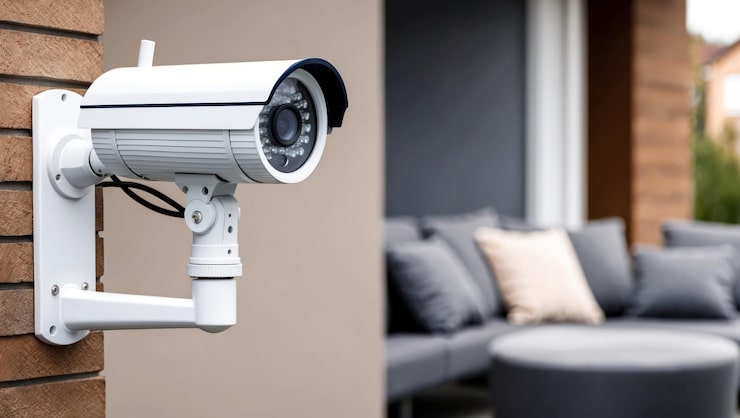
Home and workplace security has become more important than ever. Whether you’re protecting your property, checking in on loved ones, or monitoring deliveries, a security camera offers peace of mind and real-time visibility.
Today’s security cameras go far beyond simple video recording. Many come with motion detection, night vision, two-way audio, cloud storage, and even AI-powered alerts. But with so many types—wired, wireless, indoor, outdoor, smart-enabled—choosing the right one can feel overwhelming.
This guide breaks down what features to look for, compares different types of security cameras, highlights pros and cons, and provides expert insights to help you make an informed choice.
Devices | Features | Price |
|---|---|---|
Security Camera | 1080P Wi-Fi |
What to Consider Before Buying a Security Camera
1. Camera Type
- Indoor Cameras: Small, discreet, and designed for monitoring inside your home.
- Outdoor Cameras: Weatherproof, often with higher durability and night vision.
- Doorbell Cameras: Combine security with visitor communication.
- Pan-Tilt-Zoom (PTZ) Cameras: Allow remote control for wide coverage.
- Wireless vs. Wired: Wireless for flexibility; wired for stable, uninterrupted connections.
2. Video Quality
- Resolution: Look for at least 1080p; 2K and 4K provide sharper detail.
- Frame Rate: Higher frame rates (30 fps) make footage smoother.
- Field of View: Wider lenses cover more area, reducing blind spots.
3. Night Vision & Low-Light Performance
- Infrared LEDs: Provide black-and-white footage in darkness.
- Color Night Vision: Uses low-light sensors for full-color footage at night.
- Range: Check how many feet the night vision can cover effectively.
4. Storage Options
- Cloud Storage: Convenient and accessible from anywhere, but requires a subscription.
- Local Storage: MicroSD cards or hard drives; no monthly fees, but limited capacity.
- Hybrid Options: Some cameras offer both for flexibility.
5. Smart Features
- Motion Detection: Alerts when movement is detected.
- AI Recognition: Distinguishes between people, pets, or vehicles.
- Two-Way Audio: Allows communication through the camera.
- App Integration: Control and view footage from smartphones or smart home systems.
6. Power Source
- Plug-in Wired: Reliable but may need professional installation.
- Battery-Powered: Flexible placement but requires recharging.
- Solar-Powered: Eco-friendly and convenient for outdoor use.
7. Weather Resistance
Outdoor cameras should have at least IP65 rating to withstand rain, dust, and temperature extremes.
8. Budget and Value
- Entry-level cameras: Affordable, basic recording features.
- Mid-range models: Improved resolution, night vision, and smart alerts.
- High-end systems: Multi-camera kits with advanced AI features and wider coverage.
Product Summary: Comparing Security Cameras
| Type | Features | Best Use Case | Pros | Cons |
|---|---|---|---|---|
| Indoor Camera | Compact, motion alerts, two-way audio | Monitoring pets, kids, and interiors | Affordable, easy to install | Limited to inside use |
| Outdoor Camera | Weatherproof, wide-angle, night vision | Driveways, backyards, entrances | Durable, strong coverage | Requires outdoor mounting |
| Doorbell Camera | Video + two-way communication | Front doors, package monitoring | Convenient, integrates with entryway | Small field of view |
| PTZ Camera | Remote pan/tilt/zoom controls | Large properties, parking lots | Wide coverage, versatile monitoring | Pricier, requires stable connection |
| Wireless Battery-Powered | Easy setup, portable, no wiring | Renters, flexible placement | Simple installation, movable | Battery needs regular charging |
| Wired Camera System | Continuous recording, stable connection | Businesses, large homes | Reliable, 24/7 coverage | Complex installation, less portable |
Pros & Cons of Security Cameras
Pros
- Deter theft and trespassing
- Provide peace of mind with remote access
- Useful for monitoring children, pets, or elderly family members
- Smart alerts reduce false alarms
- Many affordable options for beginners
Cons
- Subscription costs for cloud storage
- Battery models require recharging
- Privacy concerns if not secured properly
- Wired models may need professional installation
Who It’s Best For
- Homeowners: Outdoor and doorbell cameras provide strong security.
- Renters: Wireless battery-powered cameras are flexible and leave no damage.
- Parents & Pet Owners: Indoor cameras with two-way audio let you check in anytime.
- Small Business Owners: Wired multi-camera systems offer reliable coverage.
- Travelers: Smart cameras with mobile access provide peace of mind when away.
Real Insights: Experiences & Expert Opinions
- Homeowner Experience: A user noticed package theft stopped after installing a visible doorbell camera.
- Tech Reviewer Insight: Cameras with AI detection reduce false alerts from swaying trees or passing cars.
- Pet Owner’s Perspective: Indoor cameras with two-way audio allowed checking in and talking to pets, reducing separation anxiety.
- Security Expert Opinion: Wired systems remain the most reliable for 24/7 monitoring, especially in commercial spaces.
FAQs
1. Do I need Wi-Fi for a security camera?
Not always. Some wired systems use local recording, while wireless cameras generally require Wi-Fi for remote viewing.
2. How much storage do I need?
Depends on use. A few days of continuous recording requires larger storage, while motion-activated cameras use less space.
3. Are outdoor cameras weatherproof?
Yes, but check for an IP rating—IP65 or higher is recommended for outdoor use.
4. Can security cameras work without power?
Battery-powered or solar-powered cameras can, but most wired models need electricity.
5. Do I need professional installation?
Not for most wireless cameras; however, wired systems often require expert setup.
6. Will a camera notify me of movement?
Yes, most modern cameras send instant motion alerts to your phone.
Final Recommendation
A security camera is a smart investment for protecting property, monitoring loved ones, and deterring unwanted activity. The best choice depends on your needs:
- Indoor cameras are perfect for monitoring pets or kids.
- Outdoor models are essential for entrances, driveways, and yards.
- Doorbell cameras add convenience and front-door visibility.
- Wireless battery-powered options are flexible for renters.
- Wired systems deliver stable 24/7 surveillance for larger homes or businesses.
For most households, a mid-range wireless security camera with motion alerts, night vision, and mobile access strikes the right balance of affordability, features, and ease of use.
By choosing the right model, you can enhance safety, gain peace of mind, and stay connected to what matters most—whether you’re at home or miles away.