
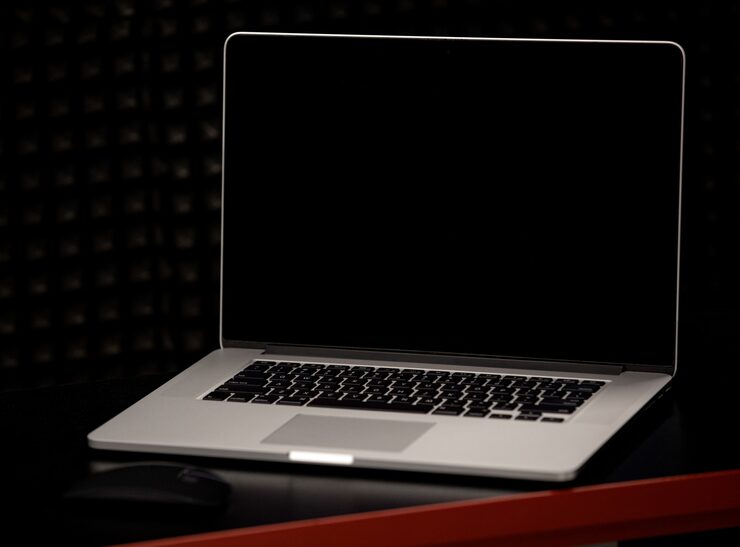
Laptops remain one of the most important tools in our everyday lives, whether for school, office work, creative projects, or gaming. Among the many screen sizes available, the 15.6-inch laptop computer stands out as the most versatile. It’s large enough to provide a comfortable viewing and working experience, yet still portable compared to bigger models.
But not all laptops are created equal. A 15.6-inch laptop can serve very different purposes depending on specifications like processor, RAM, storage, and build quality. In this guide, we’ll break down what you need to know before buying, compare different categories, highlight pros and cons, and help you decide which option suits your needs.
Devices | Features | Price |
|---|---|---|
15.6 Inch Laptop Computer | 36GB RAM |
What to Consider Before Buying a 15.6-Inch Laptop
When you’re investing in a laptop, you want one that fits your lifestyle and workload. Here are the most important factors to weigh:
1. Purpose of Use
- Students & Professionals: Look for a balance between performance and portability.
- Gamers: Prioritize a dedicated graphics card, high refresh-rate display, and strong cooling system.
- Content Creators: Choose higher RAM, faster processors, and color-accurate displays.
- Casual Users: A budget-friendly laptop with sufficient storage and battery life may be enough.
2. Processor (CPU)
The processor is the “brain” of your laptop.
- Entry-level CPUs: Good for web browsing, word processing, and light use.
- Mid-range CPUs: Handle multitasking, office apps, and light gaming.
- High-performance CPUs: Essential for gaming, video editing, and design work.
3. Memory (RAM)
- 4GB–8GB: Suitable for everyday tasks.
- 16GB: Ideal for professionals and multitaskers.
- 32GB+: Recommended for designers, developers, and gamers.
4. Storage Options
- HDD (Hard Drive): Higher storage at lower cost, but slower speed.
- SSD (Solid-State Drive): Faster boot times, smoother performance, and more durable.
- Hybrid Setup: Combines HDD capacity with SSD speed.
5. Graphics (GPU)
- Integrated Graphics: Suitable for office work, streaming, and light games.
- Dedicated Graphics: Better for gaming, 3D modeling, and video editing.
6. Display Quality
A 15.6-inch display is the sweet spot between portability and screen size. Consider:
- Resolution: Full HD (1080p) is standard; 4K is better for designers but drains more battery.
- Refresh Rate: Standard 60Hz works fine for casual users; 120Hz+ is ideal for gamers.
- Color Accuracy: Important for photographers and content creators.
7. Battery Life
Depending on usage, battery life can make or break your experience.
- Basic tasks: Aim for 6–8 hours.
- Travel or work on the go: 10+ hours recommended.
- Gaming/Editing laptops: Usually shorter due to high performance, around 3–6 hours.
8. Portability & Weight
A 15.6-inch laptop usually weighs between 4–6 pounds. If you travel frequently, look for a lighter model with slim bezels and compact design.
9. Connectivity & Ports
- USB-C / Thunderbolt: Faster data transfer and charging.
- HDMI / DisplayPort: For external monitors or projectors.
- Ethernet: Useful for stable wired internet.
- SD Card Slot: Handy for photographers.
10. Budget
Set a budget that matches your needs. A higher price usually means better build quality, stronger hardware, and future-proof performance.
Product Summary: Types of 15.6-Inch Laptops
Here’s a breakdown of categories you’ll find in this size range:
| Type of Laptop | Best For | Key Features | Portability | Price Range |
|---|---|---|---|---|
| Budget Laptops | Students, casual users | Basic CPU, 4–8GB RAM, HDD or small SSD | High | Low |
| Ultrabooks | Professionals, travelers | Slim, lightweight, long battery, SSD-based | Excellent | Medium-High |
| Gaming Laptops | Gamers, streamers | Dedicated GPU, high-refresh display, RGB | Medium | High |
| Workstation Laptops | Designers, developers | High-end CPU, 16GB+ RAM, professional GPU | Low | Very High |
| 2-in-1 Laptops | Students, multitaskers | Touchscreen, convertible design | High | Medium |
Pros & Cons of 15.6-Inch Laptops
✅ Pros
- Balanced size: Large enough for work, portable enough for travel.
- Versatility: Options available for casual, professional, and gaming use.
- Widespread availability: More models and accessories available than other sizes.
- Comfortable keyboard layout: More space for typing and larger trackpads.
❌ Cons
- Less portable than smaller models: Bulkier for frequent travelers.
- Battery life trade-offs: Larger displays consume more power.
- Heavier high-performance models: Gaming and workstation laptops can be difficult to carry daily.
Who It’s Best For
- Students: Affordable 15.6-inch laptops provide a large screen for note-taking, assignments, and streaming.
- Remote Workers: Professionals appreciate the balance of screen real estate and portability.
- Gamers: Gaming-focused laptops at this size offer powerful GPUs and immersive displays.
- Content Creators: Designers and editors benefit from color accuracy and powerful processors.
- Travelers: Ultrabooks in this category are slim, lightweight, and reliable for work on the go.
Real Insights: Practical Experiences
- Students find that budget 15.6-inch laptops give them the flexibility of writing assignments, streaming lectures, and casual entertainment.
- Office professionals often prefer ultrabooks, as they strike the best balance between performance and battery life.
- Gamers recommend choosing a model with a cooling system and high refresh rate, as gaming laptops can otherwise overheat during long sessions.
- Content creators highlight the importance of display quality—investing in a laptop with better color reproduction saves time in editing work.
- Travelers love slim ultrabooks because they’re easy to carry, but some regret sacrificing performance for portability.
FAQs
Q1: Is 15.6 inches the right size for me?
Yes, if you want a versatile laptop that balances performance, usability, and portability. For frequent travelers, consider a smaller size; for stationary use, you could go larger.
Q2: Can I upgrade a 15.6-inch laptop later?
Many laptops allow upgrades in RAM and storage, but slim ultrabooks and some gaming laptops may have soldered components. Always check specifications.
Q3: Are 15.6-inch laptops good for gaming?
Absolutely, but you’ll need a dedicated graphics card and strong cooling system. Entry-level models won’t perform well with high-end games.
Q4: What’s the average battery life?
Ranges from 4–12 hours depending on usage. Ultrabooks last longer, while gaming laptops have shorter battery life.
Q5: Should I choose SSD over HDD?
Yes. SSDs offer much faster performance, are more durable, and reduce load times. If you need bulk storage, a hybrid setup works best.
Final Recommendation
The 15.6-inch laptop remains the most balanced option for students, professionals, gamers, and content creators. It offers the right mix of usability, portability, and performance compared to smaller or larger models.
When making your purchase decision, focus on:
- Processor power for your workload.
- RAM and storage to ensure smooth multitasking.
- Graphics capability if you plan to game or create content.
- Battery life if you’ll work on the go.
- Weight and design for portability.
If you’re a student or casual user, a budget-friendly model with basic specs will serve you well. For professionals and travelers, an ultrabook is worth the investment. Gamers and creators, on the other hand, should lean toward high-performance models with powerful GPUs and color-accurate displays.
Ultimately, the 15.6-inch laptop shines because it doesn’t force you to compromise too much in one direction. It’s the “just right” size—big enough to be productive, yet compact enough to carry wherever life takes you.