
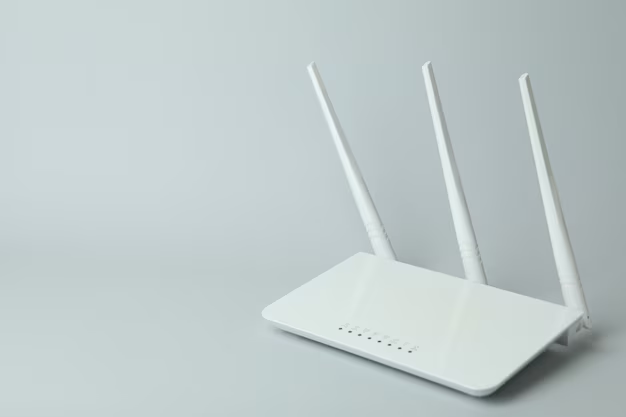
Few things are as frustrating as a weak WiFi signal. You might have blazing-fast internet service, but if the signal doesn’t reach your bedroom, office, or backyard, it can feel like a waste. That’s where a WiFi range extender comes in.
A WiFi range extender (sometimes called a booster or repeater) captures your existing wireless signal and amplifies it, extending coverage into areas where your router struggles to reach. Whether you’re working from home, streaming in 4K, gaming online, or simply browsing, having strong and consistent WiFi is no longer a luxury—it’s a necessity.
This buying guide will help you understand how WiFi range extenders work, what features to look for, and how to choose the right one for your home or office.
Devices | Features | Price |
|---|---|---|
WiFi Range Extender | Wireless Signal Booster |
What to Consider Before Buying a WiFi Range Extender
Not all extenders are the same. Before investing in one, think carefully about these key factors:
1. Coverage Area Needs
- Small apartments may only require a compact extender.
- Large homes or multi-level houses benefit from more powerful models with extended range.
- Outdoor use (gardens, patios) requires extenders that support strong signal penetration.
2. WiFi Standards
- Older Standards: Extenders using WiFi 4 (802.11n) are cheaper but slower.
- Current Standards: WiFi 5 (802.11ac) provides faster speeds for most households.
- Latest Standards: WiFi 6 (802.11ax) offers even better speed, efficiency, and device handling—ideal for smart homes.
3. Speed & Bandwidth
- Look for dual-band or tri-band extenders to reduce interference.
- More bandwidth is helpful for gaming, streaming, and multiple-device usage.
4. Placement & Setup
- Extenders should be placed halfway between the router and the dead zone.
- Some models feature smart indicators to show the best placement spot.
- Easy setup through a mobile app or WPS button can make installation simple.
5. Ethernet Ports
- Useful if you want a wired connection for gaming consoles, smart TVs, or desktop computers.
- Some extenders double as an access point when connected via Ethernet.
6. Design & Size
- Wall-plug extenders are compact and save space.
- Desktop-style extenders are larger but often more powerful.
7. Price & Long-Term Value
- Entry-level extenders are budget-friendly but may not support heavy usage.
- Higher-end options offer advanced features like MU-MIMO (multiple-device support) and mesh compatibility.
Product Summary: Common Features You’ll Find
Here’s a quick look at the most common features across WiFi range extenders:
| Feature | Description | Benefit |
|---|---|---|
| Dual-band or Tri-band | Operates on 2.4 GHz and/or 5 GHz | Reduces interference, improves speed |
| WiFi standard | WiFi 4, 5, or 6 | Determines speed and efficiency |
| Coverage area | 800–3,000 sq. ft. (varies) | Extends signal into dead zones |
| Ethernet ports | 1–5 ports | Wired connections for faster, stable internet |
| Setup method | WPS button, app, or web browser | Quick installation |
| Indicator lights | Signal strength display | Helps find optimal placement |
| Extra features | MU-MIMO, Beamforming, Mesh compatibility | Boosts performance for multiple devices |
Pros & Cons of WiFi Range Extenders
✅ Pros
- Eliminates Dead Zones: Extends your router’s reach into weak signal areas.
- Budget-Friendly: Cheaper than upgrading your entire router or network.
- Easy Setup: Most models take only a few minutes to install.
- Versatility: Works with most routers regardless of brand.
- Improved Performance: Better streaming, gaming, and video calls in previously weak areas.
❌ Cons
- Reduced Speed: Extenders often cut bandwidth in half on repeated signals.
- Placement Sensitive: Incorrect placement can limit effectiveness.
- Not a Complete Solution: May not match the performance of a full mesh WiFi system.
- Device Handover Issues: Some older extenders don’t support seamless switching between router and extender.
- Bulky Design: Larger models may block outlets or take up desk space.
Who It’s Best For
- Remote Workers: Perfect for creating a reliable signal in home offices or studios.
- Gamers: Reduces lag in areas of the home where WiFi is weak.
- Streamers: Supports uninterrupted video playback in 4K or HD.
- Large Households: Ensures every family member has access to consistent WiFi.
- Smart Home Enthusiasts: Provides coverage for connected devices like smart lights, cameras, and thermostats.
- Budget-Conscious Buyers: Great for extending WiFi without replacing your entire system.
FAQs
1. Do WiFi extenders slow down internet speed?
Yes, some extenders reduce speed since they rebroadcast the signal. However, dual-band and tri-band models help minimize this loss.
2. What’s the difference between a WiFi extender and a mesh system?
A mesh system uses multiple nodes to create one seamless network. Extenders repeat your router’s existing signal but may create a separate network name.
3. Can I use multiple WiFi extenders?
Yes, but it can cause interference if not configured properly. A mesh system may be a better alternative for very large spaces.
4. Are WiFi range extenders difficult to install?
Most are easy to set up via an app, browser, or simple WPS button. Many include placement indicators to guide installation.
5. Can I connect wired devices to an extender?
Yes, if it has Ethernet ports. This is especially useful for gaming consoles or streaming devices.
6. Will a WiFi extender work outdoors?
Some extenders are designed for outdoor use, but most are meant for indoor placement. For outdoor coverage, check product specifications.
Expert Insights & Real-World Use Cases
- Home Office Setup: Many professionals report that adding an extender significantly improved video call stability and VPN performance.
- Gamers’ Perspective: A dual-band extender helped reduce lag during online play, though wired connections still provide the best performance.
- Streaming Families: Parents found extenders invaluable for providing stable connections in bedrooms where kids stream content on tablets and smart TVs.
- Vacation Homes: Seasonal properties benefit from extenders since upgrading the whole network isn’t always necessary.
- Small Business Owners: Cafés and shops use extenders to provide customers with reliable WiFi without expensive enterprise equipment.
Final Recommendation
A WiFi range extender is one of the simplest and most affordable solutions to improve wireless coverage in your home or office. While it may not completely replace the benefits of a full mesh WiFi system, it’s a practical choice for many users.
- If you live in a small to medium-sized home, a compact dual-band extender should solve most dead zone issues.
- For larger households or heavy internet users, look for a WiFi 6 model with tri-band support and Ethernet ports for maximum performance.
- If you need long-term scalability and seamless performance, you might eventually consider upgrading to a mesh system—but for budget-friendly improvement, an extender is a great first step.
By considering your space, internet usage, and device needs, you can select the right WiFi range extender to keep your signal strong, reliable, and ready for everything from video calls to 4K streaming.