
[Klyxoo.com] is a participant in the Amazon Services LLC Associates Program, an affiliate advertising program designed to provide a means for sites to earn advertising fees by advertising and linking to Amazon.uk
Choosing the right tablet can be challenging because the market offers countless options with different sizes, features, operating systems, and price ranges. Whether you’re looking for a device for entertainment, productivity, education, gaming, reading, or professional work, understanding the key factors before making a purchase can save both time and money.
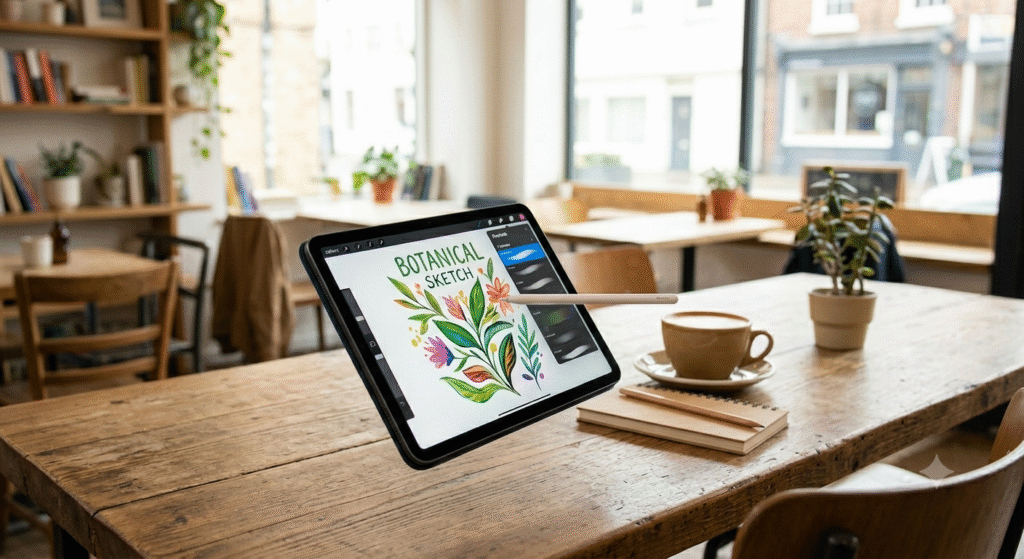
A tablet sits comfortably between a smartphone and a laptop, offering portability without sacrificing functionality. However, not every tablet is designed for the same purpose. Some focus on media consumption, while others are built for creative professionals, students, or business users.
This comprehensive tablet buying guide explains everything you need to know before purchasing a tablet. You’ll learn how to compare specifications, identify essential features, and determine which type of tablet best matches your needs.
Why Buy a Tablet?
Many people wonder whether a tablet is still worth buying in today’s world. The answer depends on how you plan to use it.
A quality tablet can offer:
- Better portability than a laptop
- Larger screen than a smartphone
- Long battery life
- Convenient entertainment on the go
- Comfortable reading experience
- Support for note-taking and productivity
- Access to educational and creative applications
For students, travelers, professionals, and casual users, a tablet can become an everyday companion.
What to Consider Before Buying a Tablet
Before comparing different models, focus on the features that matter most.
Display Size
The screen size significantly impacts usability.
| Screen Size | Best For |
|---|---|
| 7-8 Inches | Reading, portability, travel |
| 9-11 Inches | Everyday use, streaming, browsing |
| 12+ Inches | Productivity, design work, multitasking |
Smaller tablets are easier to carry, while larger displays provide a better viewing and working experience.
Screen Quality
Display quality affects everything from watching videos to reading documents.
Look for:
- High resolution
- Sharp text rendering
- Accurate colors
- Good brightness levels
- Anti-glare coating
A higher-quality display typically results in a more enjoyable user experience.
Processor Performance
The processor determines how smoothly the tablet handles tasks.
For basic activities such as browsing and video streaming, entry-level processors are usually sufficient.
For gaming, multitasking, content creation, or professional work, consider a tablet with a more powerful chipset.
RAM Capacity
RAM affects multitasking performance.
General recommendations:
- 3GB–4GB: Basic usage
- 6GB–8GB: Smooth multitasking
- 12GB or more: Professional workloads
Insufficient RAM may lead to slower performance when multiple applications are open.
Storage Options
Storage determines how much content you can keep on the device.
Consider:
- Apps
- Photos
- Videos
- Documents
- Offline media
Recommended storage:
| User Type | Recommended Storage |
| Casual Users | 64GB |
| Students | 128GB |
| Professionals | 256GB+ |
| Creators | 512GB+ |
Cloud storage can supplement local storage but should not completely replace it.
Battery Life
Battery life is one of the most important purchasing factors.
Look for tablets capable of lasting:
- 8-10 hours minimum
- 10-14 hours for all-day use
Battery performance varies depending on screen brightness, applications, and connectivity.
Operating System
The operating system influences compatibility and user experience.
Common tablet operating systems offer:
- Access to mobile applications
- Cloud synchronization
- Productivity tools
- Security updates
Choose an ecosystem that aligns with your existing devices and workflow.
Connectivity
Modern tablets often include:
- Wi-Fi
- Bluetooth
- GPS
- Cellular connectivity
- USB ports
If you travel frequently, cellular connectivity may be worth considering.
Build Quality
Premium materials generally improve durability and aesthetics.
Features to look for:
- Metal construction
- Strong frame design
- Scratch-resistant screen
- Durable buttons and ports
A well-built tablet typically lasts longer.
Types of Tablets
Understanding tablet categories helps narrow your choices.
Entertainment Tablets
These tablets focus on:
- Streaming videos
- Social media
- Casual gaming
- Web browsing
Ideal for users seeking affordability and convenience.
Productivity Tablets
Productivity-focused tablets are designed for:
- Document editing
- Remote work
- Video conferencing
- Multitasking
These devices often support external keyboards and advanced accessories.
Student Tablets
Students benefit from tablets that provide:
- Digital note-taking
- Educational applications
- Research tools
- Online learning support
Battery life and portability are especially important.
Creative Tablets
Creative users need:
- Stylus support
- Color-accurate displays
- Powerful processors
- Advanced software compatibility
These tablets cater to artists, designers, and content creators.
Gaming Tablets
Gaming tablets prioritize:
- Fast refresh rates
- Strong graphics performance
- Efficient cooling
- High RAM capacity
Performance becomes more important than portability in this category.
Tablet Buying Checklist
Before purchasing, verify the following:
Essential Features Checklist
✓ Suitable screen size
✓ Adequate storage
✓ Sufficient RAM
✓ Strong battery life
✓ Good display quality
✓ Reliable processor
✓ Necessary connectivity options
✓ Software update support
✓ Durable construction
✓ Appropriate budget
This checklist can prevent costly mistakes.
Product Summary Comparison
The following comparison illustrates what buyers should prioritize across different user categories.
| Feature | Basic Use | Student Use | Professional Use |
| Screen Size | 8-10″ | 10-11″ | 11-13″+ |
| Storage | 64GB | 128GB | 256GB+ |
| RAM | 4GB | 6GB | 8GB+ |
| Battery | 8 Hours | 10 Hours | 12+ Hours |
| Processor | Entry-Level | Mid-Range | High-End |
| Accessories | Optional | Recommended | Essential |
This framework can simplify your decision-making process.
Pros and Cons of Buying a Tablet
Pros
- Lightweight and portable
- Longer battery life than many laptops
- Excellent for media consumption
- Convenient for reading
- Easy to use
- Suitable for travel
- Fast startup times
- Touchscreen convenience
Cons
- Limited desktop-level software
- Smaller screens than laptops
- Fewer ports on some models
- Accessories may increase costs
- Performance varies significantly by model
Understanding these advantages and disadvantages helps set realistic expectations.
Who Is a Tablet Best For?
Students
Students benefit from:
- Digital textbooks
- Note-taking applications
- Online classes
- Portable study tools
A mid-range tablet often provides the best balance between cost and functionality.
Professionals
Business users frequently rely on tablets for:
- Meetings
- Presentations
- Email management
- Document editing
Productivity-focused devices can serve as laptop alternatives for many tasks.
Travelers
Frequent travelers appreciate:
- Lightweight design
- Entertainment access
- Navigation support
- Long battery life
A compact tablet can significantly reduce travel weight.
Families
Families often use tablets for:
- Educational content
- Streaming services
- Video calls
- Casual games
Parental controls can add extra peace of mind.
Content Creators
Creative professionals need:
- High-resolution displays
- Stylus compatibility
- Fast processors
- Expanded storage
These features support drawing, editing, and design workflows.
Common Mistakes to Avoid
Many buyers regret their purchase because they overlook critical factors.
Choosing Based Only on Price
The cheapest option may not provide adequate performance or longevity.
Ignoring Storage Needs
Running out of storage quickly becomes frustrating.
Overlooking Software Support
Regular updates improve security and device lifespan.
Buying More Power Than Needed
Not every user requires advanced specifications.
Forgetting Accessories
Keyboards, styluses, and protective cases may significantly affect usability.
Expert Tips for Choosing the Right Tablet
After researching various tablet categories and user experiences, several recommendations consistently stand out.
Match Features to Your Usage
Avoid paying for features you won’t use.
Prioritize Display Quality
A better display enhances nearly every activity.
Think Long-Term
Choose specifications that remain useful for several years.
Check Battery Reviews
Real-world battery performance often differs from marketing claims.
Balance Portability and Productivity
A larger screen improves productivity but reduces portability.
Frequently Asked Questions
How much storage do I need on a tablet?
Most casual users can comfortably start with 64GB, while students and professionals often benefit from 128GB or more.
Is a tablet better than a laptop?
It depends on your needs. Tablets excel in portability and convenience, while laptops offer superior multitasking and software compatibility.
What screen size is best?
A 10-11 inch display provides a balanced experience for most users.
Can a tablet replace a laptop?
For basic productivity, communication, and entertainment tasks, many users find a tablet sufficient. Advanced professional workflows may still require a laptop.
How long should a tablet last?
A well-maintained tablet can remain useful for several years, especially when supported by regular software updates.
Is cellular connectivity necessary?
Not always. Wi-Fi models are sufficient for many users, while travelers may benefit from cellular access.
Final Recommendation
Finding the best tablet starts with understanding your specific needs rather than chasing the most expensive specifications. Focus on display quality, processor performance, battery life, storage capacity, and overall usability. Students may prioritize portability and note-taking features, professionals often need productivity tools and multitasking capabilities, while casual users generally value entertainment and convenience.
The ideal tablet is the one that aligns with your daily activities, budget, and long-term expectations. By evaluating the factors discussed in this buying guide, you can confidently select a device that delivers excellent value and serves your needs for years to come.
Suggested SEO Meta Description
Discover the ultimate tablet buying guide with expert tips on display size, performance, storage, battery life, and features to help you choose the perfect tablet for your needs.
[Klyxoo.com] is a participant in the Amazon Services LLC Associates Program, an affiliate advertising program designed to provide a means for sites to earn advertising fees by advertising and linking to Amazon.uk